

वर्णन
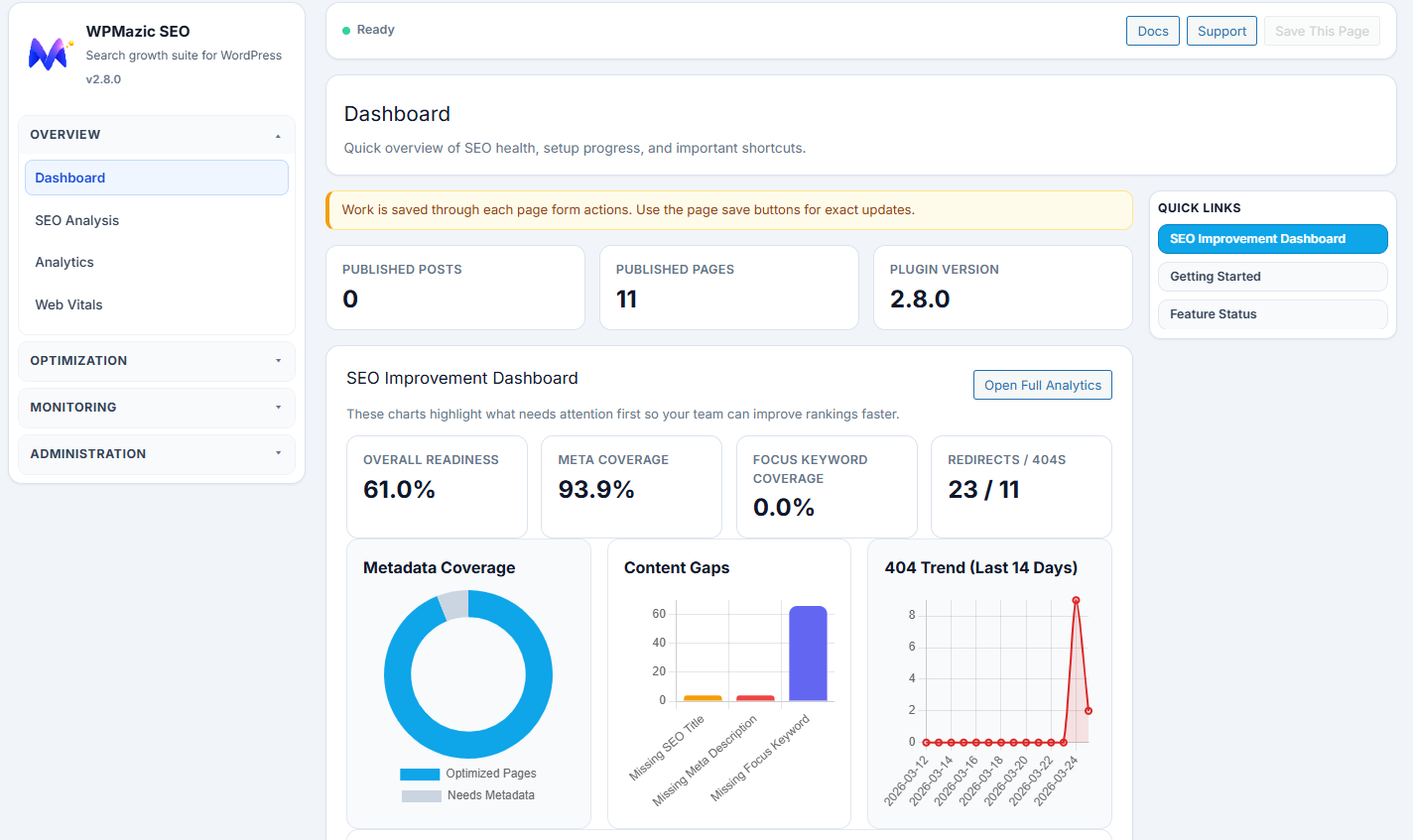
WPMazic SEO Lite helps you launch SEO fundamentals quickly and monitor your site’s search performance.
Complete Feature Overview
- Setup wizard + 1-click migration from Yoast, Rank Math, and AIOSEO
- SEO title/meta controls with snippet preview for posts, pages, and custom post types
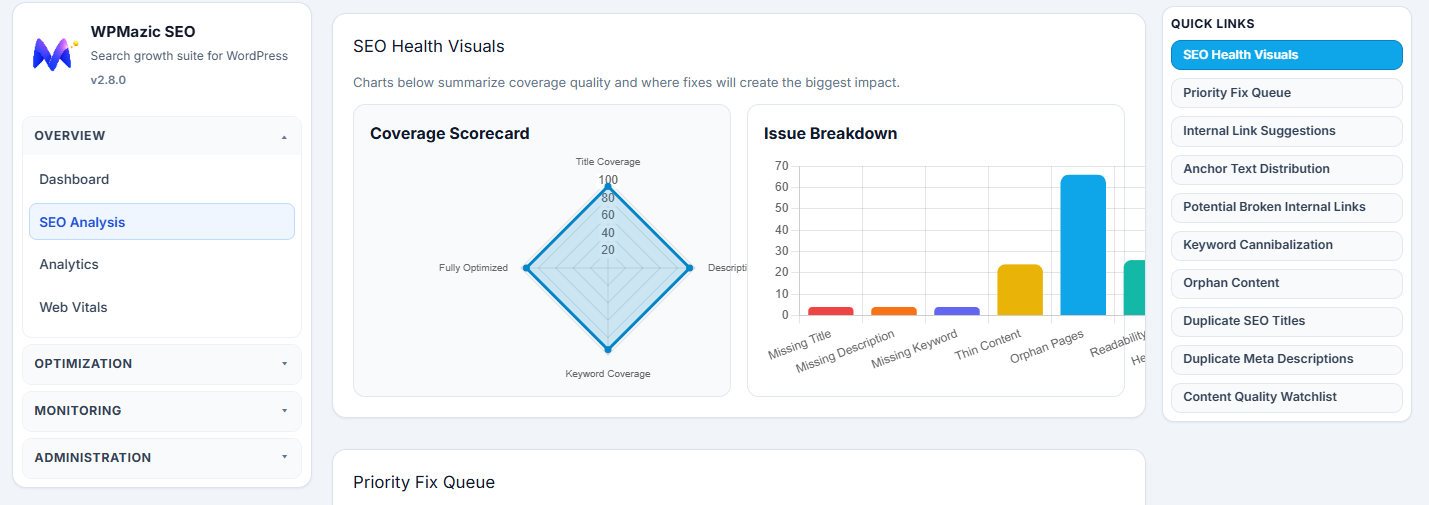
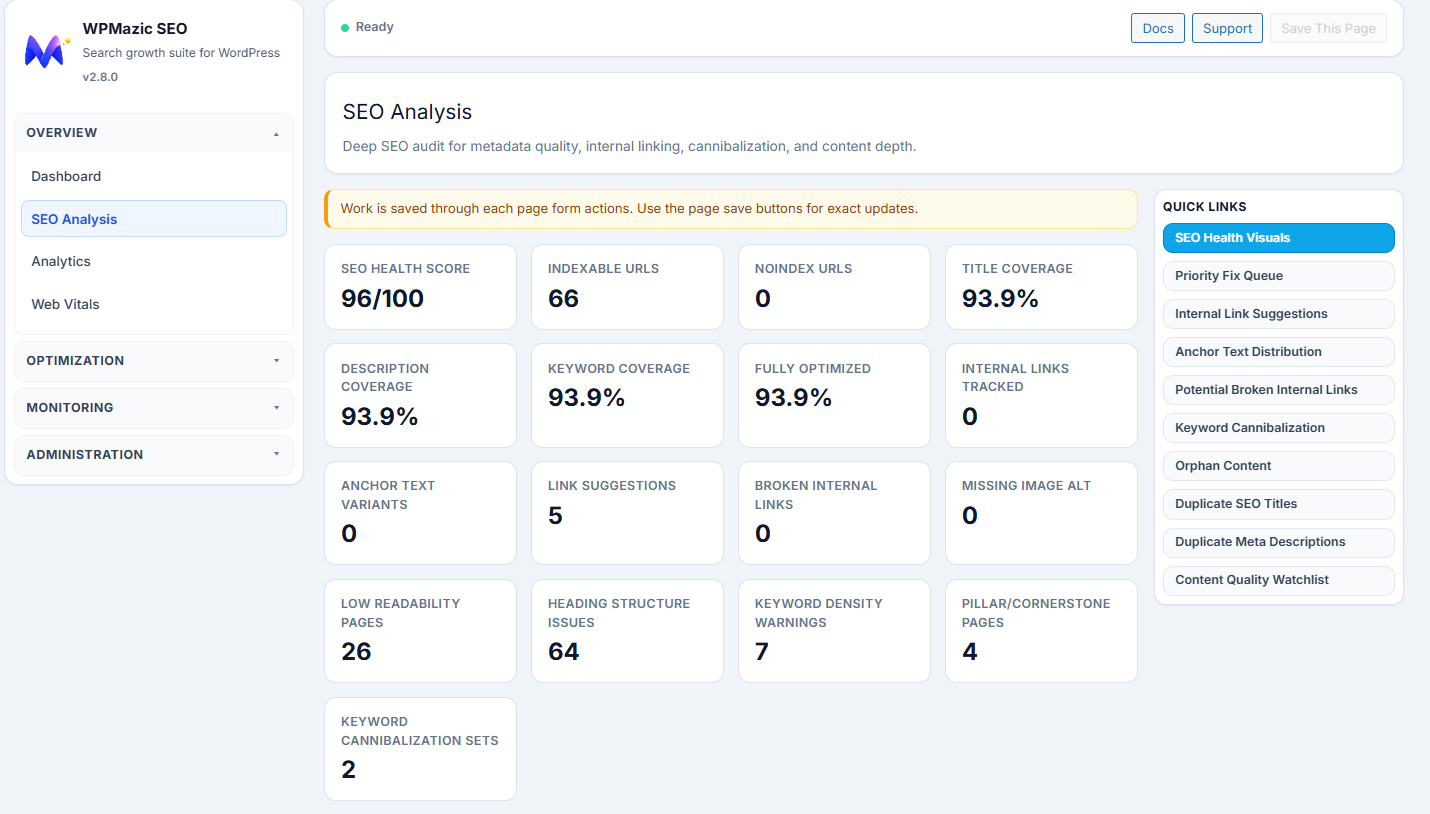
- Focus keyword analysis and per-post SEO controls
- XML sitemap plus image sitemap support with filtering options
- Schema output for common content types including Article, FAQ, Product, and LocalBusiness
- Open Graph, Twitter Cards, dynamic OG image fallback, and author SEO enhancements
- Redirect manager with 301/302 redirects and auto slug redirect
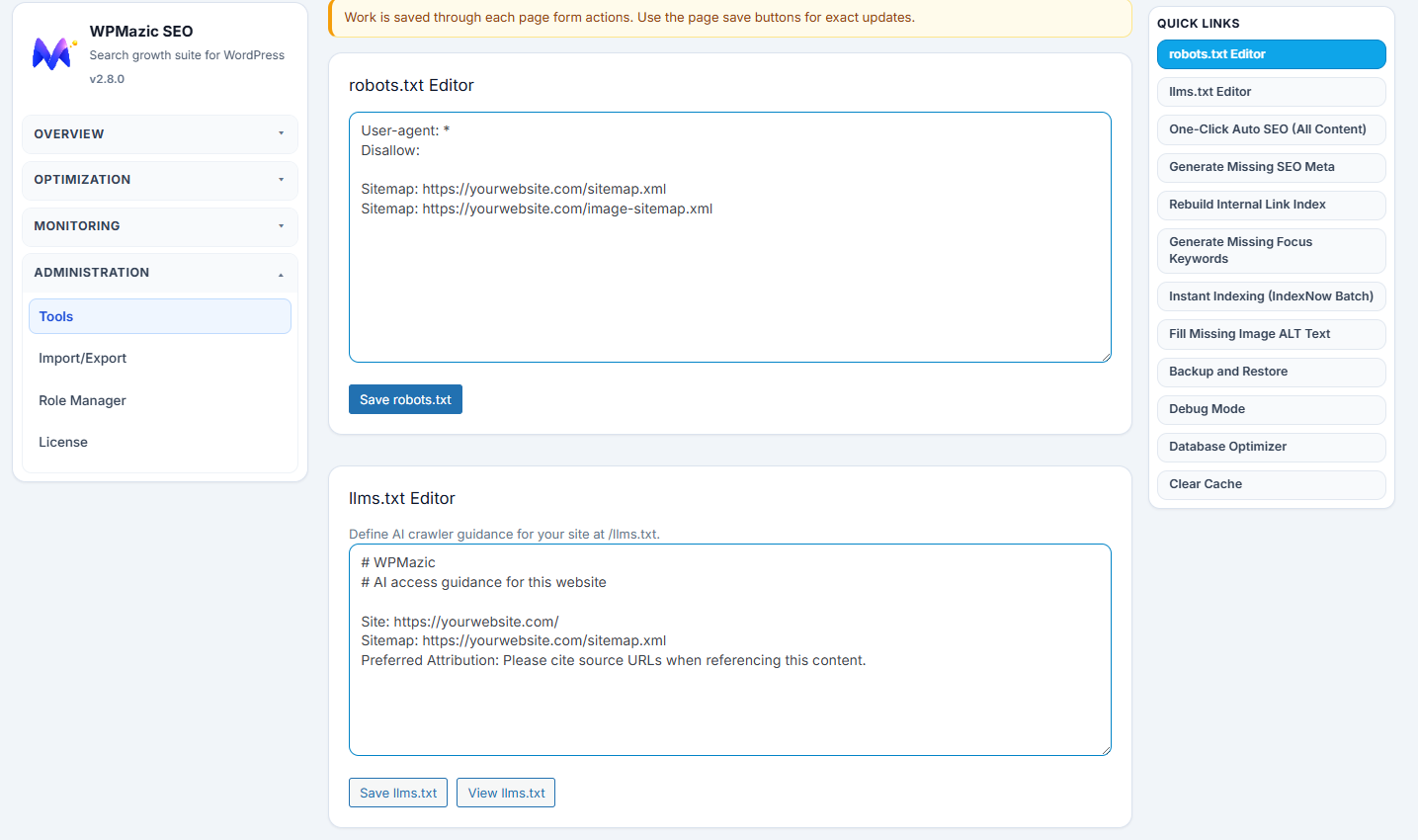
- Search engine verification tags, robots.txt editor, llms.txt editor, and IndexNow
- Bulk editor and migration wizard for efficient content management
- Local SEO with business schema and location markup
- Breadcrumbs with flexible navigation structure
- Image SEO with automated alt text and filename optimization
- Internal link tracking to analyze linking structure
- Security tools including bad bot blocker and security headers
Why Choose WPMazic SEO Lite?
- Lightweight and fast – minimal overhead on your site
- No bloatware – only essential SEO features included
- Compatible with WordPress multisite installations
- Zero tracking by default – your data stays with you
- Full control over social media previews with customizable OG tags
Support
Support is handled through the plugin support forum:
https://wordpress.org/support/plugin/wpmazic-seo-lite/
Upgrade to Pro
For advanced SEO features and premium support, visit:
https://wpmazic.com/wpmazic-seo/
स्क्रीनशॉट
स्थापना
- Upload
wpmazic-seo-liteto/wp-content/plugins/ - Activate from the Plugins screen in WordPress
- Follow the setup wizard to configure your SEO settings
नेहमी विचारले जाणारे प्रश्न
-
Does Lite include migration from Yoast/Rank Math/AIOSEO?
-
Yes. Use the setup wizard and import your existing SEO settings seamlessly.
-
Where is the sitemap?
-
Visit
https://yourdomain.com/sitemap.xml. An image sitemap is available athttps://yourdomain.com/sitemap-images.xml. -
Does this package include all bundled features?
-
Yes. The plugin includes the features bundled in this package. If you use a separate commercial WPMazic product, treat it as a separate offering outside the WordPress.org plugin directory package.
-
Does the plugin load remote assets in wp-admin?
-
No. Admin CSS and JS are bundled locally inside the plugin package.
-
How does the 404 Monitor work?
-
The 404 Monitor automatically logs missing URL requests with referrer and user-agent data, helping you identify broken links and redirect opportunities.
-
Is there a limit on redirects or 404 entries?
-
The Lite version includes full support for redirects and 404 monitoring without artificial limits. Your site data is stored locally in your WordPress database.
-
Will my website slow down if I install WPMazic SEO Lite?
-
No. The plugin is optimized for performance and uses minimal resources. The codebase follows WordPress best practices with efficient database queries and cached output.
-
Can I use this on a multisite installation?
-
Yes. WPMazic SEO Lite is fully compatible with WordPress multisite networks. Each site can have independent SEO settings.
-
Do I need to create an account to use this plugin?
-
No account is required. All features are available immediately after installation. The plugin works entirely within your WordPress site.
-
How do I get started with configuration?
-
After activation, follow the setup wizard to configure your site name, separator, and enable desired features. The default settings are optimized for most sites.
-
Can I control which post types appear in the sitemap?
-
Yes. The sitemap settings allow you to include or exclude specific post types and taxonomies from your XML sitemaps.
-
Is the plugin compatible with page builders?
-
Yes. WPMazic SEO Lite works with all major page builders including Elementor, Divi, WPBakery, and Gutenberg since it operates at the WordPress core level.
-
What happens to my SEO data if I uninstall?
-
Your SEO meta data is stored as custom fields in WordPress. You can optionally preserve this data during migration to another plugin.
समीक्षा
ह्या प्लगइनसाठी कोणतेही समीक्षण नाही.
योगदानकर्ते आणि विकसक
“WPMazic SEO Lite” हे मुक्त स्रोत सॉफ्टवेअर आहे. पुढील लोक या प्लगइनच्या निर्मितीत योगदान केले आहे.
योगदानकर्ते
भाषांतर करा “WPMazic SEO Lite” तुमच्या भाषेत.
विकासातील आग्रह?
कोड ब्राउझ करा, SVN संग्रहालय तपासा, किंवा विकास लॉग च्या RSS द्वारे सदस्यता घ्या.
बदलांची यादी
1.0.0
- Initial Lite release
- Free-feature package with setup wizard, migration, and core SEO toolkit